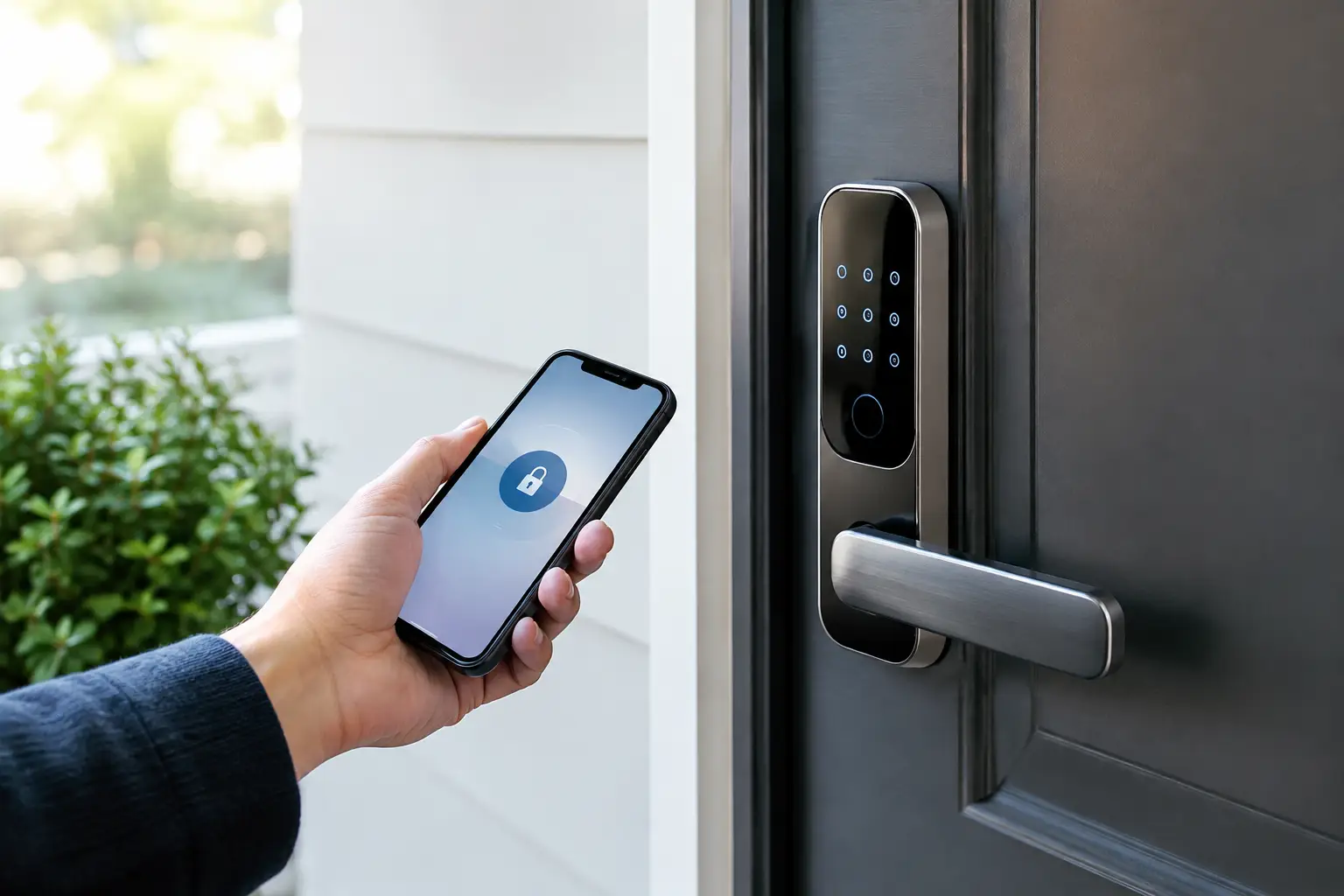
A smart lock is rarely compromised because someone defeats the deadbolt. The weak point is usually the account behind it: a reused password, an old guest code, an unsecured Wi-Fi router, or a phone still logged in after it was sold. Learning how to secure smart locks means treating the lock as part of a small access-control system, not as a gadget installed on a door.
That mindset changes the work. Instead of asking whether a lock has enough features, ask who can administer it, how it connects, what happens when the internet fails, and how quickly access can be removed. A well-configured smart lock can be safer and more auditable than a traditional key ring. A poorly configured one simply moves key-management problems into an app.
Start with the lock’s security architecture
Before changing settings, identify how the lock communicates. Bluetooth-only locks have a smaller remote attack surface because they generally require proximity, but they can sacrifice remote management and live notifications. Wi-Fi locks offer direct remote control, yet they depend heavily on router security and the vendor’s cloud infrastructure. Zigbee, Z-Wave, Thread, and Matter-compatible models usually operate through a hub or border router, which can reduce battery drain and keep some automation local, but adds another device to secure.
There is no single right setup. For a primary residence, a lock with local keypad control, a physical key override, and app-based access logs is usually a sensible balance. For a rental, studio, or home office with frequent visitors, temporary codes and scheduled access become more valuable. The point is to choose features that match a real access workflow, not to activate every feature because it exists.
Check the manufacturer’s support record before committing. Security depends on firmware updates, clear vulnerability disclosures, and continued app support. An inexpensive lock becomes expensive if its vendor stops maintaining the platform while the hardware is still mounted on your door.
Set a serious administrator account
The owner account is the master key. Protect it accordingly. Use a unique password created by a password manager, not a variation of an email or streaming password. If the lock platform supports multi-factor authentication, enable it immediately. An authenticator app is generally preferable to text-message codes, though SMS is still better than password-only access.
Also secure the email account connected to the lock. Password resets often flow through email, making that inbox part of the security perimeter. Use a unique password and multi-factor authentication there as well.
Avoid sharing the owner login with a spouse, partner, roommate, cleaner, or property manager. Create separate user accounts or individual access codes whenever the platform permits it. Shared credentials erase accountability and create a cleanup problem when circumstances change.
How to secure smart locks through access rules
The keypad is where convenience can quietly become exposure. A four-digit code has only 10,000 combinations, and predictable codes are far weaker than the math suggests. Do not use birthdays, addresses, phone-number fragments, or repeating patterns such as 1111 and 2580. Select longer PINs when the lock supports them, ideally six digits or more.
Every regular user should have a distinct code. This lets you see which credential opened the door and revoke only the access that needs to end. It also prevents the common household failure mode where one universal code gets passed to a friend, babysitter, dog walker, or contractor and becomes impossible to contain.
For visitors, use time-bounded codes. A dog walker may need access from 11 a.m. to 1 p.m. on weekdays. A contractor may need a code that expires at the end of the job. A guest staying for a weekend does not need a permanent digital key. This is not paranoia. It is basic offboarding, the same discipline that protects business software accounts and office alarm systems.
Review access after life changes: a move, breakup, staffing change, lost phone, completed renovation, or former roommate. Physical keys tend to force this review because rekeying costs money. Smart locks make removal easier, which is useful only if you make it a habit.
Harden the network behind the door
A Wi-Fi-connected lock is only as trustworthy as the network carrying its traffic. Start with the router administrator password. If it is still the default or a familiar household password, change it to a long, unique one stored in a password manager. Update router firmware, disable remote administration unless you have a specific reason to use it, and use WPA3 security if your equipment supports it. WPA2-AES remains acceptable for older devices. Avoid legacy WEP and WPA modes.
A separate guest or Internet of Things network is worth considering if your router makes it easy. Put smart home devices on that network while keeping laptops, work devices, and storage systems on the primary network. Segmentation does not make a flawed lock invulnerable, but it limits how easily a compromised camera, plug, or lock can reach more sensitive devices.
Do not install smart-lock apps on every tablet in the house just because you can. Each signed-in device is another administrative endpoint. Remove access from old phones before trading them in, use a screen lock on current devices, and turn on device-finding and remote-wipe features. If a phone containing lock credentials is lost, change the account password, revoke that device’s session, and review recent lock activity right away.
Treat updates as scheduled maintenance
Firmware updates are not cosmetic. They can repair security flaws, connection bugs, battery reporting issues, and credential-handling problems. Turn on automatic updates if you trust the vendor’s release process, or set a recurring quarterly reminder to check both the lock and its hub.
Do updates when someone is home and able to test the door afterward. Confirm that the keypad works, the app receives status changes, and any physical key override still turns correctly. If the lock uses a bridge or hub, update that device too. A smart home can have excellent individual hardware and still be exposed through an outdated bridge.
Keep an eye on permissions requested by the companion app. Location access may be needed for proximity automations, but it should not be granted by reflex. Disable automations that unlock a door based only on a phone arriving nearby unless you have tested their behavior carefully. A safer pattern is for arrival to trigger a notification or prepare the lock interface, while the final unlock still requires an intentional tap, biometric confirmation, or keypad entry.
Build for outages, low batteries, and human mistakes
Security is not only about preventing entry. It is also about avoiding an avoidable lockout. Keep the physical key, if your model has one, in a deliberate location that is not inside the locked home. If you store one with a trusted neighbor or in a properly secured lockbox, treat it as a real key and retrieve it when relationships or living arrangements change.
Know the lock’s low-battery behavior. Many models provide weeks of warning, but notifications fail if the phone is offline or app permissions are disabled. Test emergency power contacts if the model includes them, and keep the required battery type on hand. Replace batteries on a schedule rather than waiting for a warning during travel.
Fire safety also matters. Do not create a system that makes rapid exit harder. Household members should know how to operate the lock manually from inside, including children old enough to be home alone. The door must open reliably without an app, network connection, or voice assistant.
Audit the system like an operator
The most useful smart-lock feature is not remote unlocking. It is visibility. Check activity logs periodically for failed code attempts, unfamiliar unlock events, and access outside expected hours. One failed entry is often a typo. Repeated attempts, especially overnight or during travel, deserve attention.
Run a simple access audit every three to six months. Delete expired guest codes, confirm each named user still needs access, remove retired devices, and verify the recovery email and phone number on the account. This takes less time than replacing locks after a compromised credential has circulated for months.
Be cautious with integrations. Voice assistants, geofencing tools, property-management software, and home automation platforms can be useful, but each connection adds permissions and potential failure points. Connect systems only when they solve a specific problem. If voice control is enabled, require a PIN for unlocking where available, and do not rely on a spoken command as the sole control for exterior doors.
A secure smart lock setup should feel boring after the initial work. Each person has only the access they need, the network is maintained, recovery options are known, and departures trigger immediate credential removal. That is the real upgrade: not a door that responds to a phone, but a home access system that stays under your control when routines, devices, and people change.