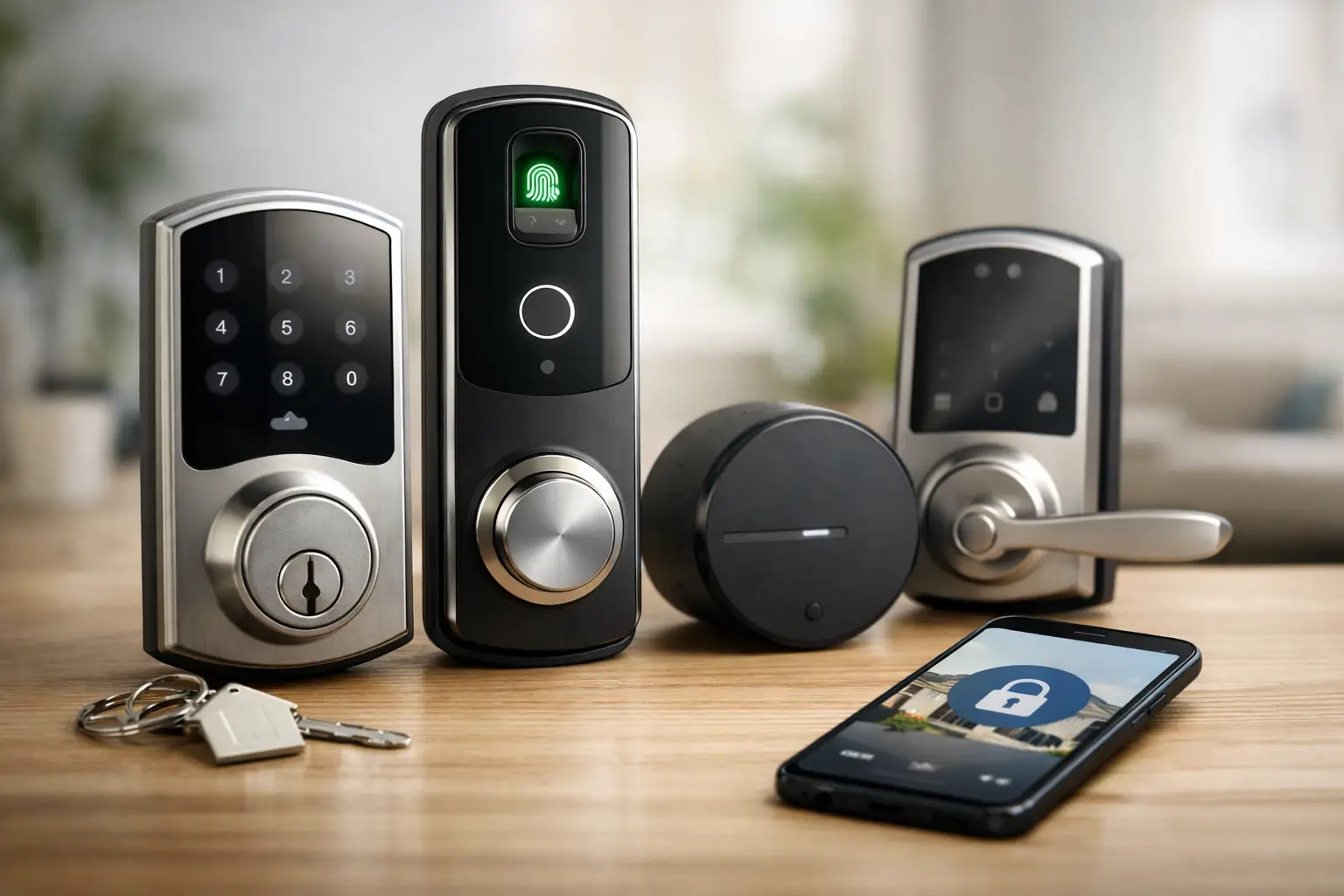
A rental lock has to solve a different problem than a homeowner lock. It needs to survive turnover, eliminate key handoffs, keep a clean audit trail, and avoid creating a maintenance ticket every time Wi-Fi drops. The best smart locks for rentals are not always the flashiest models. They are the ones that fit the door, match the property’s operating model, and let you remove access in seconds.
For one furnished unit, a retrofit lock may be the smart answer because it preserves the existing exterior hardware. For a small portfolio with frequent turnovers, a keypad deadbolt with offline code management can be far more practical. The right choice starts with workflow, not a feature checklist.
The 7 Best Smart Locks for Rentals
1. Schlage Encode Smart WiFi Deadbolt
The Schlage Encode is a strong default for landlords who want a recognizable, durable keypad lock with built-in Wi-Fi. It does not require a separate bridge, which removes one more piece of hardware from the setup. Managers can issue unique codes, check activity, and delete old credentials remotely.
Its real advantage is operational simplicity. A resident, cleaner, contractor, or prospective tenant gets a code instead of a copied key. The physical key override still exists for emergencies, but the daily system can remain code-based.
The trade-off is installation. This is a full deadbolt replacement, so confirm the door prep, backset, and clearance before ordering. It is also better suited to owners who can change exterior hardware, rather than renters who need a fully reversible installation.
2. Yale Assure Lock 2
The Yale Assure Lock 2 is one of the most flexible options for rentals because Yale offers several configurations: keypad, touchscreen, key-free, keyed, Bluetooth, and connected versions. That range matters when you manage different property types but want a consistent access system.
For a long-term rental, the keypad model is usually the sensible pick. You can create resident codes and retain a backup path if the primary resident loses a phone. For a short-term unit, its code scheduling features can reduce manual coordination around arrivals and cleaners.
Choose the connectivity version deliberately. The basic Bluetooth model keeps costs down but requires local access for many tasks. A Wi-Fi or compatible smart-home module makes more sense when the lock needs to be managed from another city. More connectivity means more convenience, but it also creates more battery and network variables to monitor.
3. August Wi-Fi Smart Lock
The August Wi-Fi Smart Lock is the best fit when you need smart access without replacing the exterior deadbolt. It installs on the inside of many existing single-cylinder deadbolts, leaving the outside keyway and hardware unchanged. That makes it useful for renters, condo owners, and property managers working within strict HOA rules.
This design also preserves the building’s existing key system. If a lease requires a physical key, or if the property uses a common exterior key, August can add remote management without forcing a hardware overhaul.
There is a catch: compatibility is everything. The existing deadbolt must work smoothly before installation, and some doors with unusual thumb-turns or tight clearances will not qualify. Because the exterior remains conventional, August also does not give you a built-in keypad unless you add a separate keypad accessory. That is an extra component to power, mount, and maintain.
4. SwitchBot Lock Pro
SwitchBot Lock Pro is another retrofit option, but it is designed for operators who want a more modular setup. It mounts over the interior thumb-turn, and SwitchBot’s ecosystem can add a keypad, hub, and other automation hardware around it. For a unit where drilling is not allowed, that flexibility is valuable.
The practical rental setup is the lock plus keypad. Residents can use a code, while the manager can issue temporary access for vendors and turnover teams. The optional hub supports remote operation and automation, although that creates dependence on the property’s internet connection.
This is not the cleanest visual solution, and the interior assembly is more noticeable than a traditional deadbolt. It also cannot compensate for a poorly aligned door. If the bolt binds, the motor has to work harder, batteries drain faster, and reliability suffers. Fix the strike plate before calling the lock defective.
5. Level Lock+ or Level Bolt
Level is the pick for owners who care deeply about aesthetics. Its products place much of the technology inside the door hardware, creating a conventional-looking lock rather than a visible keypad device. That can be appealing in design-forward apartments, historic homes, and premium furnished rentals.
Level Lock+ replaces the lock hardware, while Level Bolt is a more concealed internal retrofit for compatible deadbolts. Both can support phone-based access and selected smart-home integrations.
The limitation is obvious from the same design choice that makes Level attractive: there is no primary keypad on many configurations. Phone access is elegant for an owner-occupied home but can create friction in a rental. Dead phones, guests, cleaners, and older residents all make a simple code valuable. Level works best when the property has a clearly defined backup access plan, such as a lockbox, a physical key policy, or a separate keypad solution.
6. Aqara Smart Lock U100
The Aqara U100 is a feature-heavy deadbolt for a rental that already uses a compatible smart-home ecosystem. It combines keypad access, fingerprint entry, physical key backup, and broader automation possibilities. Fingerprint access can be useful for an owner or resident, while the keypad remains the practical rental tool for guests and service providers.
Its strength is not that it has more ways to open the door. Its strength is that it can support a layered access policy. A manager uses the app, a resident uses a fingerprint or code, and a cleaner receives a temporary PIN. That is a better system than sharing one master code with everyone.
Aqara is best for a tech-comfortable operator who is willing to standardize the ecosystem. If every rental has different hubs, apps, and automation rules, the management benefit disappears. Keep the setup simple enough that a local co-host can troubleshoot it without a manual.
7. Ultraloq U-Bolt Pro WiFi
The Ultraloq U-Bolt Pro WiFi is a capable choice for short-term rentals and small operators who need multiple access methods in one device. Depending on the version, it can offer keypad, fingerprint, app, and mechanical key entry, plus remote controls through built-in Wi-Fi.
The standout feature for turnover-heavy properties is code administration. Temporary codes are often more useful than physical keys because they can be assigned to a specific person and removed immediately after a job. This reduces the familiar problem of keys that never quite return after a maintenance visit.
As with any all-in-one lock, the downside is complexity. More entry methods mean more settings, user profiles, and support questions. Set the policy before you install it: use codes for residents and vendors, reserve fingerprints for named long-term users, and keep the physical key as an emergency tool rather than the normal process.
How to Choose a Rental Smart Lock Without Creating More Work
The first decision is whether you can replace the deadbolt. If you own the property and want a clean, long-term system, a Schlage, Yale, Aqara, or Ultraloq deadbolt will usually offer the best balance of keypad access and administration. If changing exterior hardware is prohibited or undesirable, August and SwitchBot offer a practical retrofit path.
Next, decide whether remote control is actually required. A lock with built-in Wi-Fi is convenient when you manage units remotely, but it consumes more power and relies on a stable network. For a local landlord with one annual turnover, Bluetooth plus keypad access may be enough. For a vacation rental with same-day cleaning and late-night arrivals, remote code management is worth the additional cost.
Battery maintenance deserves a documented process. Smart locks do not fail because they are smart. They fail because someone ignores low-battery alerts, the door starts binding in winter, or an old code remains active after a contractor leaves. Put battery checks on the turnover checklist, keep the correct replacement batteries on site, and test the mechanical override after every installation.
Build the Access Policy Before You Mount the Lock
A smart lock is only as useful as the access rules behind it. Create separate codes for each resident, cleaner, vendor, and property manager. Do not recycle a universal four-digit code just because it is convenient. Individual credentials create accountability and make removals painless when circumstances change.
For longer leases, give residents clear instructions on battery alerts, physical key backup, and what to do if the door does not latch correctly. For short-term stays, keep the arrival message focused: entry code, code validity window, and an emergency contact method. Guests do not need a tutorial on your entire smart-home stack.
The winning setup is usually boring in the best way. The resident enters reliably, the cleaner has access only when needed, the manager can verify activity without driving across town, and no one has to hunt for a hidden key. Choose the lock that makes that routine easier, then build the operating system around it.