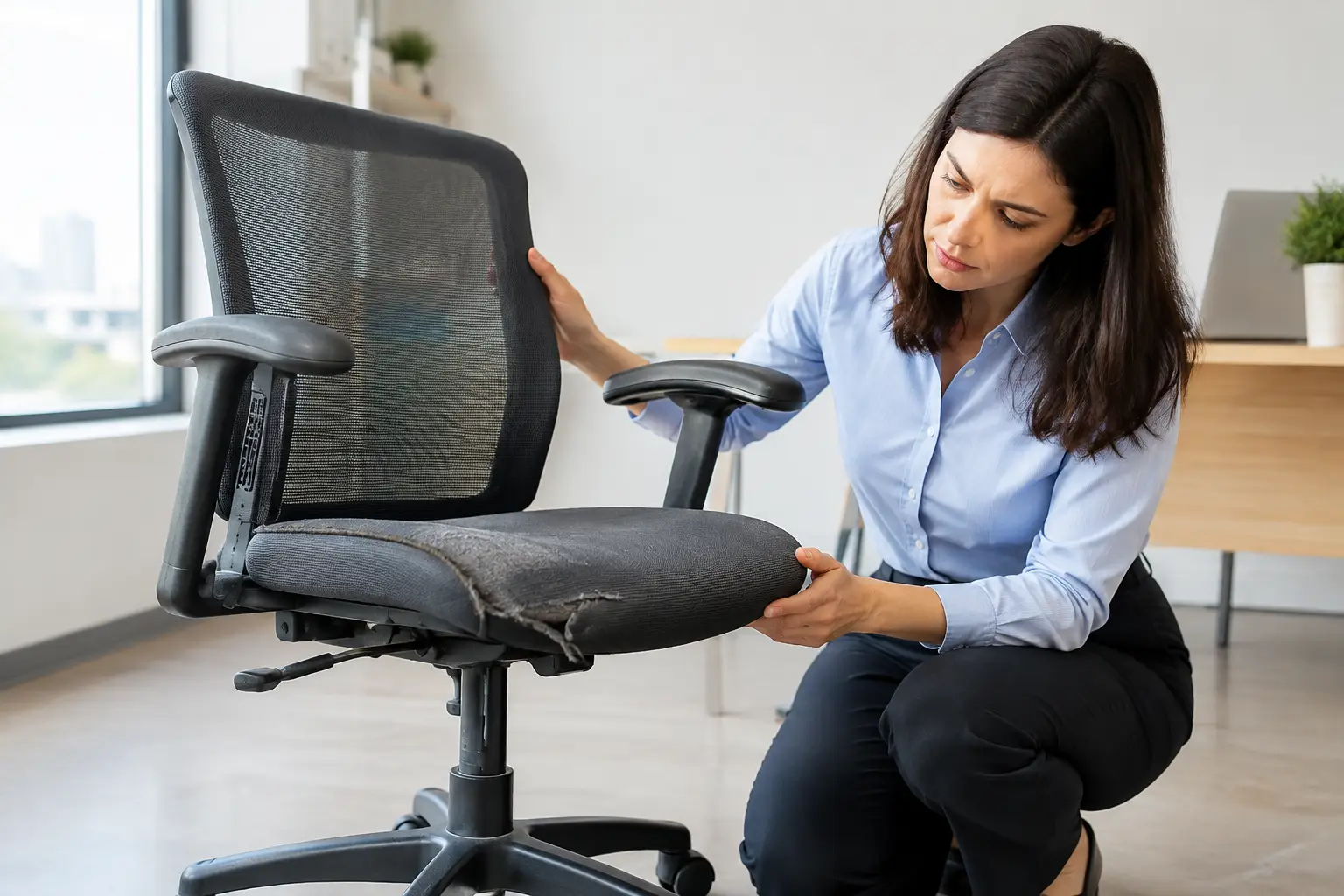
A chair rarely fails in one dramatic moment. More often, your lower back starts feeling tight by 3 p.m., the armrest shifts when you lean into it, and you gradually stop adjusting the seat because nothing seems to make it feel right. That is usually when to replace an office chair becomes a serious question, not a shopping whim.
For professionals, creators, and remote operators, an office chair is working equipment. It affects how long you can concentrate, how you move through a workday, and whether your desk setup supports good habits or quietly undermines them. The right replacement timing is not based on a calendar alone. It is based on structure, fit, workload, and whether the chair can still be tuned to your body.
When to Replace an Office Chair Instead of Repairing It
A quality chair can last far longer than a cheap task chair, but durability and usefulness are not the same thing. A premium frame may survive for a decade while its foam, lumbar system, or moving parts lose the performance that justified the purchase.
Start with a simple distinction: replace parts when the chair’s core structure and ergonomic fit remain sound. Replace the chair when the structure is unreliable, multiple functions are failing, or your body has outgrown the design.
A worn caster, a missing arm pad, or a weak gas lift does not automatically make a chair disposable. Those components are often inexpensive and replaceable. Cracked plastic around load-bearing joints, a bent mechanism, or a seat pan that no longer supports your posture is different. Repairing a chair with several compounding problems can turn into sunk-cost thinking.
1. The Chair No Longer Holds Its Adjustments
An adjustable chair only earns its desk space if those adjustments stay where you put them. If the seat slowly sinks during the day, the gas cylinder is likely worn. If the recline tension slips, the backrest drifts, or the armrests refuse to lock, you lose the ability to maintain a repeatable working position.
One failed adjustment can justify a repair. Several failed adjustments signal a system that is approaching the end of its useful life. This matters most if you alternate between focused keyboard work, video calls, and reclined reading. Your chair should support those transitions without requiring a wrestling match with levers and knobs.
A quick test is to set your preferred seat height, recline tension, arm height, and lumbar position at the start of the day. If any critical setting shifts under normal use, document it for a week. Consistent drift is a hardware problem, not a posture problem.
2. You Feel Pressure Points That Adjustments Cannot Fix
Seat foam does not need to look destroyed to be spent. When cushioning compresses unevenly, your pelvis may tilt, your thighs can feel unsupported, and your tailbone may take more pressure than it should. You may notice yourself constantly shifting, crossing one leg, or perching on the front edge of the seat.
A flat seat cushion is especially costly for people who work long blocks at a desk. It can turn a well-designed chair into a bad fit because the effective seat height changes and the support under your sit bones disappears.
Do not assume a cushion add-on is always the answer. It may provide short-term relief, but it can also raise you too high relative to the desk, reduce thigh clearance, and interfere with the chair’s original lumbar geometry. If the chair only works after a stack of accessories, replacement is usually the cleaner system decision.
3. The Lumbar Support Has Become Decorative
Good lumbar support is not a hard bump pressed into your lower back. It is a stable, appropriately positioned support that helps you maintain a neutral spinal curve without forcing you forward.
Replace the chair if its lumbar element has collapsed, cracked, become too loose to stay in position, or no longer aligns with your back after reasonable adjustment. This is common when a chair was chosen for a different user, a previous body size, or a work style that has changed from occasional desk time to daily remote work.
Fit is personal. Some people need pronounced adjustable lumbar support. Others do better with a flexible backrest that moves with them. The key is whether the chair lets you sit back fully while keeping your feet grounded and your shoulders relaxed. If it cannot do that, it is no longer serving its primary job.
4. Wobble, Creaking, and Leaning Have Entered the Picture
Noise alone is not always a safety issue. A dry joint can creak, and a caster can click because it needs cleaning. Wobble is different.
A chair that leans to one side, rocks at the base, or shifts unexpectedly when you recline deserves immediate attention. Inspect the base, cylinder connection, tilt mechanism, fasteners, and casters. Tighten accessible screws according to the manufacturer’s guidance, clear debris from the wheels, and look for visible cracks around the five-star base.
If the chair remains unstable after basic maintenance, stop treating it as a productivity tool. A sudden failure can cause a fall, damage flooring, and interrupt work at exactly the wrong time. Stability is non-negotiable.
5. Your Work Pattern Has Changed
The most overlooked replacement trigger is not wear. It is a mismatch between the chair and your current operating reality.
A chair that was adequate for two hours of evening email may be wrong for eight hours of client calls, spreadsheet work, editing, or software development. A home office may also have changed around it. Perhaps you added a sit-stand desk, a monitor arm, or a deeper desk surface. The old chair may now sit too low for the new keyboard height or have armrests that collide with the desk.
This is why buying a replacement should start with workflow, not aesthetic. Measure your desk height, note whether your armrests need to slide under the surface, and consider how often you recline, shift positions, or move between stations. A chair is part of a workstation system, not isolated furniture.
6. The Upholstery Is Affecting Hygiene or Air Quality
Tears and stains are often cosmetic. Persistent odor, crumbling faux leather, shedding foam, or fabric that cannot be cleaned effectively are more practical reasons to replace a chair.
This becomes relevant in shared home offices, small apartments, and spaces where the chair is visible on calls. Peeling upholstery can leave debris on clothing and floors. Old foam can retain odors. A chair with deeply embedded grime may not be worth restoring if the internal support is already mediocre.
Material choice matters for the next purchase. Mesh improves airflow and can work well in warm rooms, though some mesh seats feel too firm for certain users. Fabric often feels more forgiving but needs regular cleaning. Leather and faux leather can look polished, but heat and long-term peeling are real trade-offs.
7. You Have Changed Your Body, Not Just Your Setup
Weight changes, injury recovery, pregnancy, aging, and changes in mobility can all alter what an effective chair feels like. The model that fit you five years ago may now have the wrong seat depth, weight capacity, armrest range, or recline resistance.
This is not a failure of discipline or an excuse to chase gear. It is a normal reassessment of equipment fit. If you feel numbness in your legs, pain that persists after work, or repeated strain in your neck and shoulders, first review monitor placement, keyboard height, movement breaks, and desk geometry. If those variables are in order and the chair remains the weak link, replace it.
A Better Replacement Decision: Test the Whole Setup
Before ordering anything, spend one workday tracking what your current chair cannot do. Write down the moments when you shift, stand up, avoid leaning back, or feel pressure. Note whether your feet rest flat, whether your elbows reach the keyboard without lifting your shoulders, and whether your armrests support you without blocking desk access.
Then prioritize the features that solve those specific failures. For many desk-based professionals, adjustable seat depth, armrest width and height, lumbar tuning, recline tension, and a stable base matter more than an impressive-looking headrest. For a smaller workspace, footprint and armrest clearance may matter more than maximum recline.
Do not wait for a chair to collapse before replacing it. The smarter threshold is simpler: replace it when it can no longer provide stable, adjustable support for the way you actually work. Your attention is expensive. Your chair should not keep billing it away in small increments.
You might also like Travel Tips on Nawamag