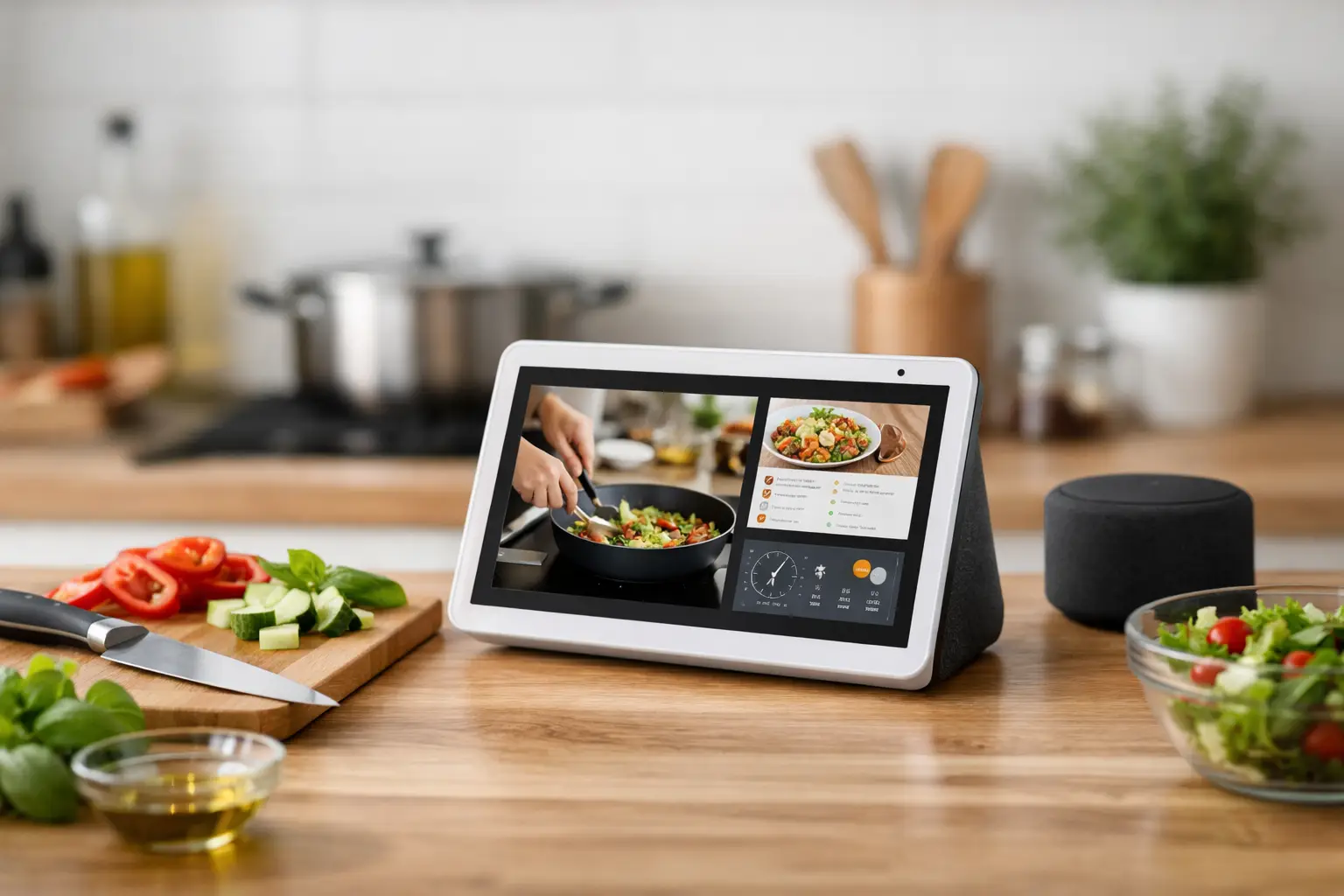
A smart kitchen display earns its place when it removes decisions during the most chaotic 90 minutes of the day: the stretch between getting home, feeding people, and resetting the kitchen. If it only shows a weather card or plays music, it is an expensive clock. If it holds your recipe queue, runs parallel timers, surfaces the family schedule, and keeps hands off your phone while you cook, it becomes useful infrastructure.
The distinction matters because counter space is scarce. Advanced home cooks do not need another screen competing for attention. They need one stable control surface that reduces context switching while heat, sharp tools, and multiple moving tasks are already in play.
Build the Smart Kitchen Display Around Real Work
Start with the workflow, not the device. Consider what actually happens on a high-output weeknight: a protein is resting, vegetables are roasting, rice is on the stovetop, someone asks what time practice starts, and you need to check whether tomorrow’s chicken has thawed. The display should handle information retrieval and timing without forcing you to wash, unlock, search, scroll, and relock your phone.
For most households, the highest-value jobs are recipe guidance, timer management, shared calendar visibility, grocery capture, music or podcasts, and video calls. That sounds ordinary until those functions are organized as one operating system instead of six separate habits.
Place the display where it can be read from the prep zone and spoken to from the range, but not directly in the grease path. A spot near the refrigerator, coffee station, or the outer edge of the main counter is usually better than a position beside the burners. The screen should be visible without blocking a landing zone for hot pans or grocery bags.
Height matters more than most buyers expect. A display placed too low becomes a flour-and-sauce target. A screen at eye level, mounted under a cabinet or set on a shallow shelf, is easier to read and less likely to become another object you move before cooking. If you use a stand, confirm that its footprint does not consume the exact counter area where you portion ingredients.
Give Each Home Screen Slot a Job
Treat the home screen like a restaurant expo board. Every visible item should prompt an action or answer a recurring question. A calendar tile can tell the household who is arriving late. A shopping list can catch the last carton of eggs. A rotating photo feed may be pleasant, but it should not displace information that reduces friction.
The best setup is often intentionally boring. Keep the first screen limited to the shared calendar, weather if it affects commuting or school, an active shopping list, and one shortcut to your recipe source. Disable news alerts and nonessential notifications. The kitchen is already a high-interruption environment. It does not need market headlines, social messages, or promotional prompts flashing between chopping and sautéing.
If your display supports household profiles, use them carefully. Voice recognition can help with personal calendars and reminders, but the kitchen’s core functions should remain shared. A grocery list that disappears because it belongs to one account is not a system. It is a predictable failure point.
Recipe Flow Is the Real Test
Recipe display is where a kitchen screen either proves its value or becomes frustrating. A useful interface keeps the current step visible, supports large text, lets you move backward without losing your place, and handles multiple timers without ambiguity. It should also make substitution notes and serving adjustments easy to access.
Before committing to a model or ecosystem, test your actual recipe sources. If you cook primarily from paid publications, saved browser pages, a digital cookbook library, or a meal-planning app, verify whether the display can show them cleanly. Many smart screens work best with recipes native to their own assistant platform. That is convenient until your real cooking library lives somewhere else.
There are three workable approaches. The first is to use the display’s built-in recipe service and accept its limits. The second is to cast or mirror recipes from a phone or tablet. The third is to reserve the smart display for timers and household coordination while using a dedicated tablet for recipes. The third option sounds less elegant, but it can be the strongest choice for serious cooks who rely on detailed, chef-level instructions, saved notes, and subscription-based recipe archives.
A dedicated recipe tablet also has a practical advantage: it can stay in landscape mode with the screen awake, while the smart display remains voice-first. This division of labor prevents one device from trying to be a video player, calendar hub, security monitor, and cookbook all at once.
Run Timers Like a Station, Not a Guess
Generic timers create confusion. “Timer for ten minutes” is fine until you have four things going. Name timers by food and task: salmon rest, broccoli roast, rice steam, sauce reduction. The names should be short enough to say quickly and specific enough to understand when the alert sounds across the room.
Build the habit of setting timers the moment a cooking phase begins, not when you think you will remember later. This is standard kitchen discipline scaled for home use. The display reduces the penalty for doing it properly because you can check all active timers at a glance.
Do not over-automate cooking times. A smart kitchen display can remind you to turn a tray or check a roast, but it cannot judge pan temperature, the moisture of your vegetables, or whether a thick salmon fillet needs another minute. Use it to protect attention, not replace sensory judgment.
Connect the Screen to Weekly Food Systems
The strongest use case is not a single dinner. It is the weekly loop: plan, buy, prep, cook, store, and repeat. Put a shared grocery list on the display and make it the only list that counts. If someone uses the last of a staple, they add it by voice before throwing away the package. That one rule prevents the familiar problem of discovering an empty olive oil bottle halfway through a recipe.
For meal planning, keep the display calendar honest. Add only meals that are realistically tied to ingredients you have or intend to buy. A seven-night aspirational menu creates waste and decision fatigue. A four- or five-meal plan with one flex night and one leftovers night reflects how most working households actually eat.
Use recurring reminders for maintenance tasks that prevent expensive frustration: refresh the filtered water pitcher, check freezer inventory, clean the coffee grinder, start a dishwasher-cleaning cycle, or pull proteins for thawing. These are not glamorous automations, but they support a kitchen that is ready to work.
If you coordinate school pickups, workouts, client calls, or travel days, set a late-arrival trigger. On nights when dinner needs to hold, the display can surface the appropriate plan: sheet-pan food, grain bowls, leftovers, or freezer portions. The goal is not to optimize every meal into a production. It is to avoid solving the same logistics problem repeatedly.
Privacy, Reliability, and the Countertop Trade-Off
Smart displays bring microphones, cameras on some models, account permissions, and cloud-dependent services into a room where family life happens in plain view. Buy with clear boundaries. Use a physical camera shutter when available, review voice recordings periodically, and avoid displaying sensitive work calendars or security feeds by default.
Reliability is equally important. A screen that loses connection, misunderstands basic timer commands, or requires a software update when dinner is underway will not earn trust. Keep manual backups in the kitchen: a probe thermometer with its own display, an instant-read thermometer, and at least one simple standalone timer. Smart tools should improve the system, not become single points of failure.
There is also a visual cost. A bright display can make a thoughtfully designed kitchen feel like a small office. Set a restrained ambient mode, schedule night dimming, and choose a device size that matches the room. Larger screens are better for recipes and shared visibility, but a compact display is often enough for timers, lists, and calendar checks in a smaller kitchen.
The best smart kitchen display setup is quiet when you do not need it and decisive when you do. Build it around the moments when your hands are busy, your attention is split, and a small piece of information can keep dinner moving.