A Saturday lunch rush exposes weak business systems fast. The line reaches the door, a manager is hunting for a price override, the card terminal loses its connection, and no one can tell whether the bestselling lunch special is actually making money. That is where the cloud POS versus legacy systems debate stops being an IT purchase and becomes an operating decision.
For a single-location café, retail shop, salon, or service counter, the right answer is not automatically the newest software. Legacy systems still have real strengths, especially in environments that need local control, specialized hardware, or deep workflows built over years. But a cloud platform often changes the quality of decisions a business can make every day. The real question is whether the system supports the operation you have now and the one you plan to run two years from now.
Cloud POS versus legacy systems at the counter
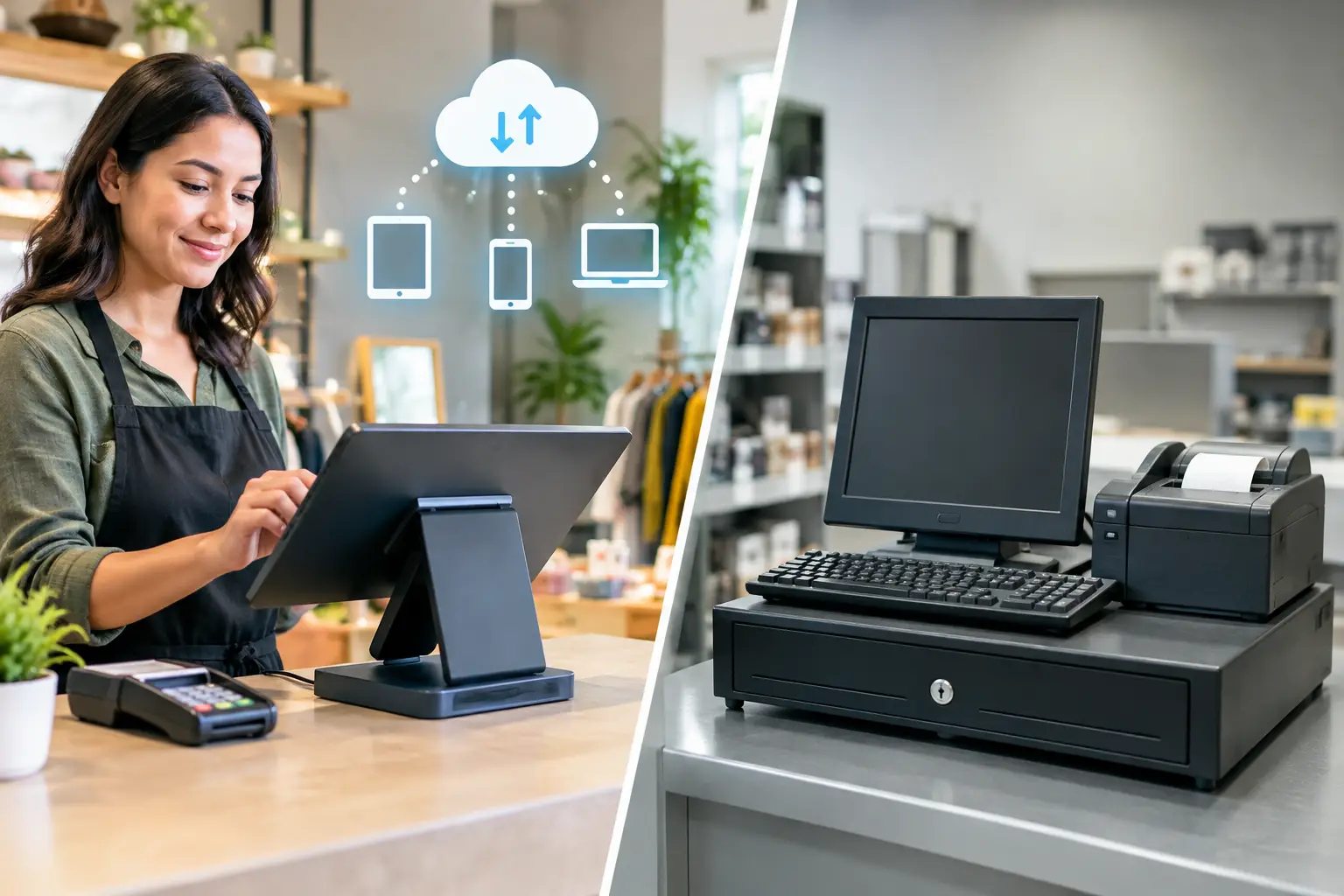
A legacy POS usually runs software installed on a local server or dedicated terminal. It may rely on an on-site database, proprietary peripherals, and a vendor technician for updates or configuration. Many established restaurants and retailers still use this model because it was designed for stability before broadband, tablets, and distributed work were standard.
A cloud POS stores core data in remote servers and delivers the application through the internet, often on an iPad, Android device, browser, or purpose-built smart terminal. Staff can log in from different devices, owners can review performance away from the store, and the vendor pushes updates centrally.
That distinction sounds technical. Operationally, it affects who can change a menu, who can see inventory, how quickly a new location can open, and what happens when a device fails at 6 p.m. on a Friday.
Cloud systems usually win on visibility and speed of change. A manager can add a modifier, adjust an employee permission, review sales by hour, or pull a customer report without waiting for an on-site visit. For businesses with multiple locations, that shared view is often the deciding factor. One item catalog, one set of reporting rules, and one place to manage staff access creates less administrative drift.
Legacy systems tend to win when the operation depends on very specific local workflows. A high-volume restaurant with complex kitchen routing, a specialty grocer with custom scales, or a retailer with unusual back-office integrations may have invested heavily in a mature setup. Replacing it can create expensive disruption, even if the old interface looks dated.
The cost is not just the monthly subscription
Cloud POS vendors make entry feel accessible. Hardware can be bought in pieces, setup is often faster, and subscription plans spread costs over time. That is useful for a new business protecting cash flow. It can also conceal the long-term bill.
The monthly software fee is only one line item. Payment processing, additional registers, payroll, loyalty programs, advanced inventory, online ordering, API access, and support tiers can all add cost. Some providers also encourage a tightly bundled payment processor. That can simplify reconciliation, but it limits negotiation power if your card volume grows.
Legacy systems usually demand more capital upfront. Licenses, servers, terminals, installation, maintenance contracts, and technician visits can make the initial deployment painful. Yet a business that owns its equipment and has predictable needs may find its recurring software costs lower over several years.
The more useful calculation is total operating cost. Include payment fees, replacement hardware, training time, downtime, IT support, integration charges, and the labor spent exporting reports or correcting inventory. A cheap system that adds 10 hours of management cleanup every month is not cheap.
Before signing, model costs at your actual transaction volume. Ask what happens when you add a second register, a second location, or a high-margin online channel. Also ask whether you can export your customer, product, inventory, and sales data in usable formats if you leave. Data portability is leverage.
Offline mode is the pressure test
The biggest objection to cloud POS is obvious: what happens when the internet fails?
A credible cloud system should have an offline mode that continues to take payments, queue orders, and sync transactions when service returns. The details matter. Some platforms can process only certain card transactions offline. Others allow cash sales but restrict inventory updates, gift cards, tips, refunds, or customer lookup until connectivity returns. Offline mode is not a checkbox. It is a workflow that needs to be tested.
A legacy POS can keep running locally during an outage because the database lives on-site. That is valuable in areas with unreliable connectivity or businesses where even a short interruption causes real loss. But local control introduces a different risk: server failure, failed backups, outdated operating systems, and the single employee who knows how to restart everything.
The practical answer for many businesses is not blind faith in either model. It is redundancy. Use a business-grade internet connection, a cellular backup, a battery backup for the router and core terminal, and a written outage procedure. Train the team on how to record orders, confirm offline payment rules, and reconcile the next day. A POS system is only as reliable as the operational plan around it.
Reporting is where cloud platforms pull ahead
Most owners do not need more dashboards. They need a short list of numbers they trust before making staffing, purchasing, and pricing decisions.
Cloud POS platforms are usually stronger at making that information available quickly. Daily sales, product mix, labor percentages, average ticket, discount activity, and location comparisons can be viewed without being physically present. The best systems also connect sales data to inventory, scheduling, accounting, online ordering, and customer marketing tools.
That convenience can create a false sense of insight. A dashboard cannot fix bad item setup. If staff ring open items instead of assigned products, if modifiers are inconsistent, or if inventory counts are never verified, the reports will be polished fiction.
This is where a disciplined setup matters more than brand selection. Build a clean item catalog. Limit manager overrides. Create reason codes for discounts, voids, and comps. Set a weekly process for comparing theoretical inventory to physical counts. Define which reports the owner reviews daily, weekly, and monthly. A cloud POS makes these controls easier to access. It does not create them for you.
Hardware should match the work, not the showroom
A sleek tablet register can be perfect for a small counter-service operation. It is less convincing in a busy kitchen where screens collect heat, grease, and impacts all day. Hardware decisions should start with traffic flow and failure points.
Consider where orders originate, where payments happen, where receipts are needed, and how staff move during peak volume. A food business may need a fixed front counter terminal, handheld devices for line busting, kitchen display screens, receipt printers, and a cash drawer. A retail store may prioritize barcode scanners, customer-facing displays, label printers, and reliable inventory receiving stations.
Cloud POS systems often offer more device flexibility, which is useful until every location develops its own improvised hardware mix. Standardize the approved models, cables, stands, network settings, and replacement process. Keep at least one configured spare device if the register is business-critical.
Legacy ecosystems can be restrictive, but that restriction sometimes delivers durability. Purpose-built terminals and certified peripherals may survive harder use and reduce compatibility issues. The trade-off is slower replacement, higher vendor dependence, and less freedom to experiment.
Security and access are management issues
Cloud vendors generally handle software patches, encryption, and platform maintenance better than a small business can manage alone. That does not mean the business can outsource responsibility. Weak staff passwords, shared manager logins, excessive permissions, and unsecured Wi-Fi still create exposure.
Use individual employee accounts, role-based permissions, and multi-factor authentication for owners and administrators. Remove access the same day an employee leaves. Separate the guest Wi-Fi from POS devices. Review refunds, manual discounts, drawer opens, and voids as normal management controls, not signs of distrust.
Legacy systems need even more attention because patching and backups may depend on local routines. If no one can confirm when the database was last backed up or whether the backup can actually be restored, the business is carrying a risk it may not see until the worst possible moment.
Choose for your next operating model
A cloud POS is usually the stronger choice for a growing business that needs remote oversight, multi-location consistency, faster changes, integrated online sales, and reports that travel with the owner. It is particularly effective when the business is willing to standardize workflows rather than preserve every old exception.
A legacy system may still be the better call when connectivity is consistently weak, the operation relies on specialized equipment, transaction volume is intense, or replacement would jeopardize a finely tuned workflow. There is no prize for modernization that disrupts profitable service.
The smart move is to map one busy shift before comparing feature lists. Follow an order from entry to payment, fulfillment, inventory impact, reporting, and reconciliation. The gaps you find will tell you whether you need a cloud platform, a better legacy support plan, or simply tighter operating discipline. Technology earns its place when it gives your team fewer workarounds and your business fewer blind spots.