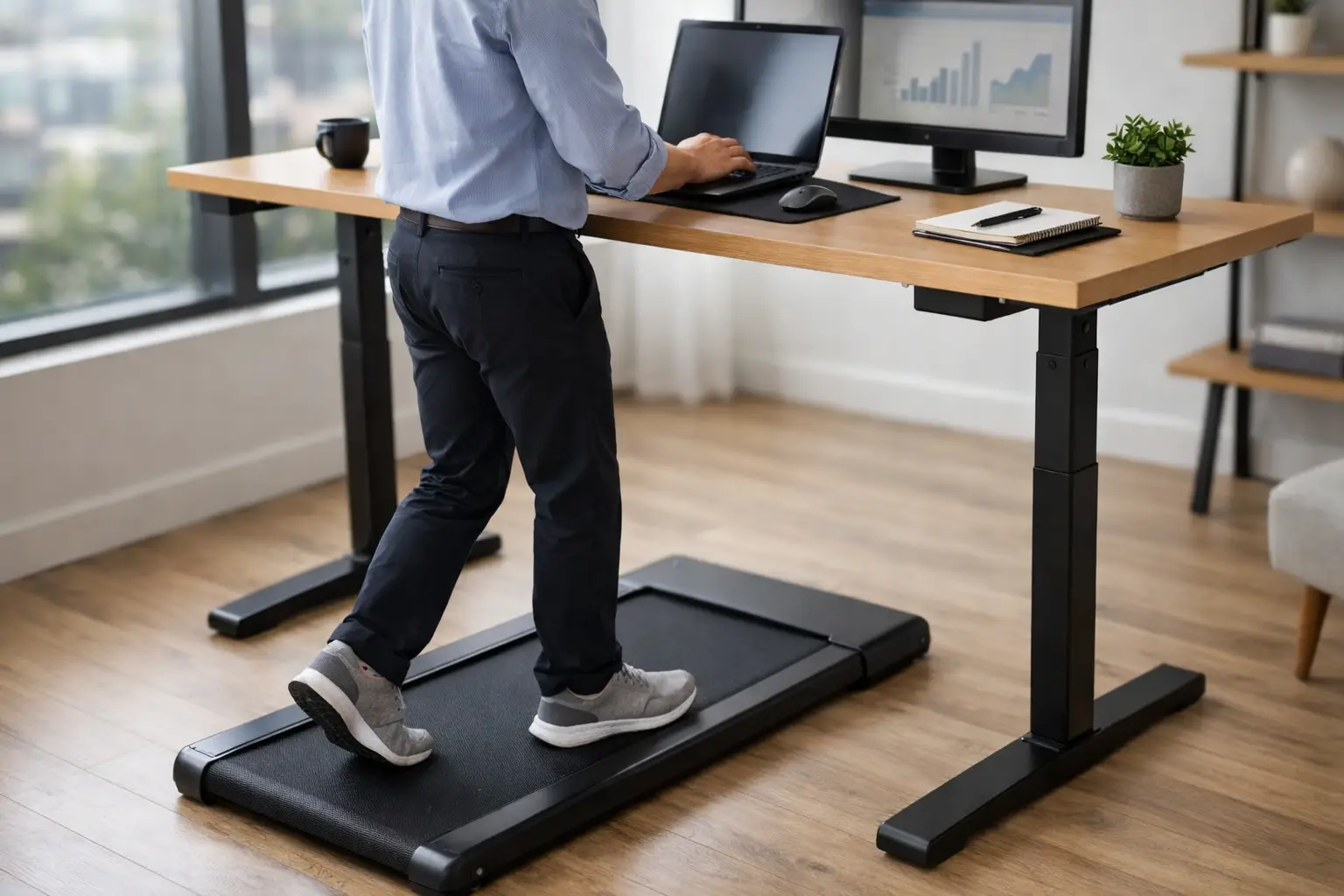
A walking pad can look like the cleanest productivity upgrade in a home office: slide it under a standing desk, open a laptop, and turn three sedentary hours into movement. The reality is more operational. This standing desk walking pad review focuses on the details that determine whether the setup becomes a daily work system or an expensive object pushed against a wall.
The best setups do not try to turn a workday into a workout. They use slow walking to make low-stakes work less static: email triage, routine calls, status updates, reading, brainstorming, and listening. The machine matters, but so do your desk geometry, floor, footwear, meeting schedule, and tolerance for background noise.
Standing Desk Walking Pad Review: The Short Verdict
A walking pad is worth considering if your work includes predictable blocks of administrative or conversational tasks and you already have, or are prepared to buy, a genuinely stable standing desk. It is a weak investment if most of your day demands dense writing, precision spreadsheet work, design execution, coding under pressure, or quiet shared living space.
The category has matured, but its core trade-off has not changed. Compact walking pads save space and cost less than traditional treadmills, yet they have smaller motors, narrower decks, shorter warranties, and less forgiveness for inconsistent use. You are buying a light-duty movement tool, not gym equipment with a work surface added on.
For most professionals, the practical target is not eight hours of walking. It is two or three 20- to 45-minute sessions at a pace slow enough to preserve focus. That modest use case makes the purchase more defensible and puts less strain on the machine.
The Specs That Affect Your Workday
Marketing pages tend to lead with top speed, app features, and sleek dimensions. For desk use, those are secondary. Start with deck dimensions, motor behavior at low speed, noise, remote reliability, and actual storage constraints.
Deck length and width set the comfort ceiling
A narrow or short deck creates a subtle but exhausting problem: you start monitoring every step. Taller users and people with a longer natural stride should prioritize usable deck length over ultra-thin storage claims. A deck that feels adequate for a 15-minute test can feel restrictive during a 40-minute client call.
Width matters more than many buyers expect. You do not need a running treadmill’s broad platform, but a little lateral room reduces the cautious, tight-hipped gait that can develop when you are also looking at a screen. If the deck has aggressively raised side rails, account for the usable walking surface rather than the total exterior width.
Low-speed control matters more than maximum speed
Most knowledge work happens around 0.5 to 1.5 mph. At that range, the pace should change smoothly in small increments and stay consistent. Jerky acceleration is disruptive when you are holding coffee, typing, or trying to rejoin a conversation on video.
A higher advertised motor wattage does not automatically mean a better desk experience. What matters is whether the belt remains steady at low speed under your body weight, without surging, lagging, or sounding strained. Look for a stated user weight capacity with margin. If you are near the published limit, expect more noise and potentially shorter component life.
Noise is a systems issue, not just a motor issue
Walking pads make two kinds of sound: mechanical motor and belt noise, plus footfall. The second is often the real issue, especially in an apartment or a second-floor office. A quiet product on a hard floor can become a building-wide nuisance once each heel strike travels through the structure.
A dense treadmill mat can reduce vibration and protect flooring, but it will not make a heavy walker silent. Soft, stable walking shoes usually reduce impact better than bare feet or hard-soled house shoes. If your job includes sensitive calls, assume you will still need seated blocks. Even a relatively quiet pad can be audible through a quality microphone.
The remote is a small component with outsized importance
Many pads rely on a small handheld remote. That sounds trivial until you need to slow down while taking notes and cannot find it. A responsive remote, a clear display, and controls that can be reached without breaking concentration are better than an overloaded app.
Apps can be useful for basic mileage logs, but do not make a purchase decision based on app ecosystems. They age quickly, require permissions that add little value, and can turn a simple appliance into another account to manage. A walking pad should remain functional if you never open its app.
Your Desk Is Half of the Product
A walking pad cannot compensate for a wobbly desk. The desk should remain stable when you rest your forearms lightly on the surface, type at normal speed, and adjust your stance. If it shakes while standing still, walking will magnify the problem.
Set the desk slightly differently than you would for stationary standing. The keyboard should sit low enough to keep shoulders relaxed, while the screen should be far enough back to avoid hunching over it. A monitor arm is particularly useful because it preserves desk depth. Laptop-only setups work, but a separate keyboard and a raised screen usually produce better posture and less neck strain.
Cable management also becomes a safety requirement. Keep charging cords, docking cables, and headphone wires away from the deck and its front roller. If you use a desktop tower, confirm that the standing desk can rise without pulling on its connections. This is not aesthetic tidiness. A dangling cable near moving equipment is a preventable failure point.
What Work Can You Actually Do While Walking?
The honest answer is task-dependent. Walking works best when cognition is broad rather than precise. Phone calls, one-on-ones, project reviews, audio learning, inbox processing, and first-pass reading fit naturally. Many people also do well with planning work, provided they can pause to capture detailed thoughts.
It is less effective for polished writing, complex financial modeling, visual design, detailed editing, and any work where a small cursor movement or line break matters. Trying to force every task onto the pad creates lower-quality output, then turns a wellness purchase into a productivity tax.
A useful rule is to categorize your calendar before stepping on. Use the pad for consumption, communication, and routine administration. Sit for production, precision, and decisions that need sustained concentration. This creates a repeatable operating model instead of relying on motivation.
Setup Mistakes That Make Good Hardware Feel Bad
The most common mistake is starting too fast. People set a pace that feels easy for a minute, then discover they cannot type accurately or speak evenly. Start at 0.5 mph. Increase only after you can work for 20 minutes without gripping the desk, shortening your breath, or losing your place on screen.
The next mistake is placing the pad on an unsuitable surface. Thick carpet can interfere with ventilation and belt operation, while an uneven hard floor can make the deck feel unstable. Measure the full footprint and leave clearance around the pad. Also measure under-desk height when the desk is lowered. Some pads are too tall to store where buyers assume they will go.
Maintenance gets ignored because these devices look simple. Belt alignment, lubrication intervals, dust around rollers, and screw checks are basic ownership tasks. Follow the manufacturer instructions rather than applying generic treadmill advice. A pad used for several hours a week will reveal neglected maintenance sooner than a machine used for occasional exercise.
Who Should Skip a Walking Pad?
Skip it if you need a primary cardio machine. A conventional treadmill is safer and better suited to higher speeds, longer sessions, and serious training. Also skip it if you do not have a stable desk or clear floor space. Buying the pad first often leads to a compromised setup that never gets used.
People managing balance issues, joint pain, recent injuries, or cardiovascular concerns should get individualized clinical guidance before adding walking to desk work. The risk is not only exercise intensity. It is divided attention, especially when reading a screen, turning to reach for something, or stepping off while distracted.
A Better Test Than Reading Another Spec Sheet
Before buying, recreate the intended workflow for one week without a machine. Spend one or two calls standing. Move your monitor to proper standing height. Identify the specific tasks you would place in a walking block and calculate how many minutes they actually represent.
If that experiment reveals two or more repeatable windows each day, a walking pad has a credible role in your office. If standing itself feels like a distraction, the answer may be a better chair, more deliberate breaks, or a simple outdoor walk between meetings.
The strongest walking-pad setup does not announce itself as a lifestyle transformation. It quietly makes a few low-value work blocks healthier, keeps your desk functional for focused work, and earns its floor space one ordinary Tuesday at a time.